CASE STUDY

Support Routing & SLA Tracking

From scattered requests to controlled follow-up

Project Overview

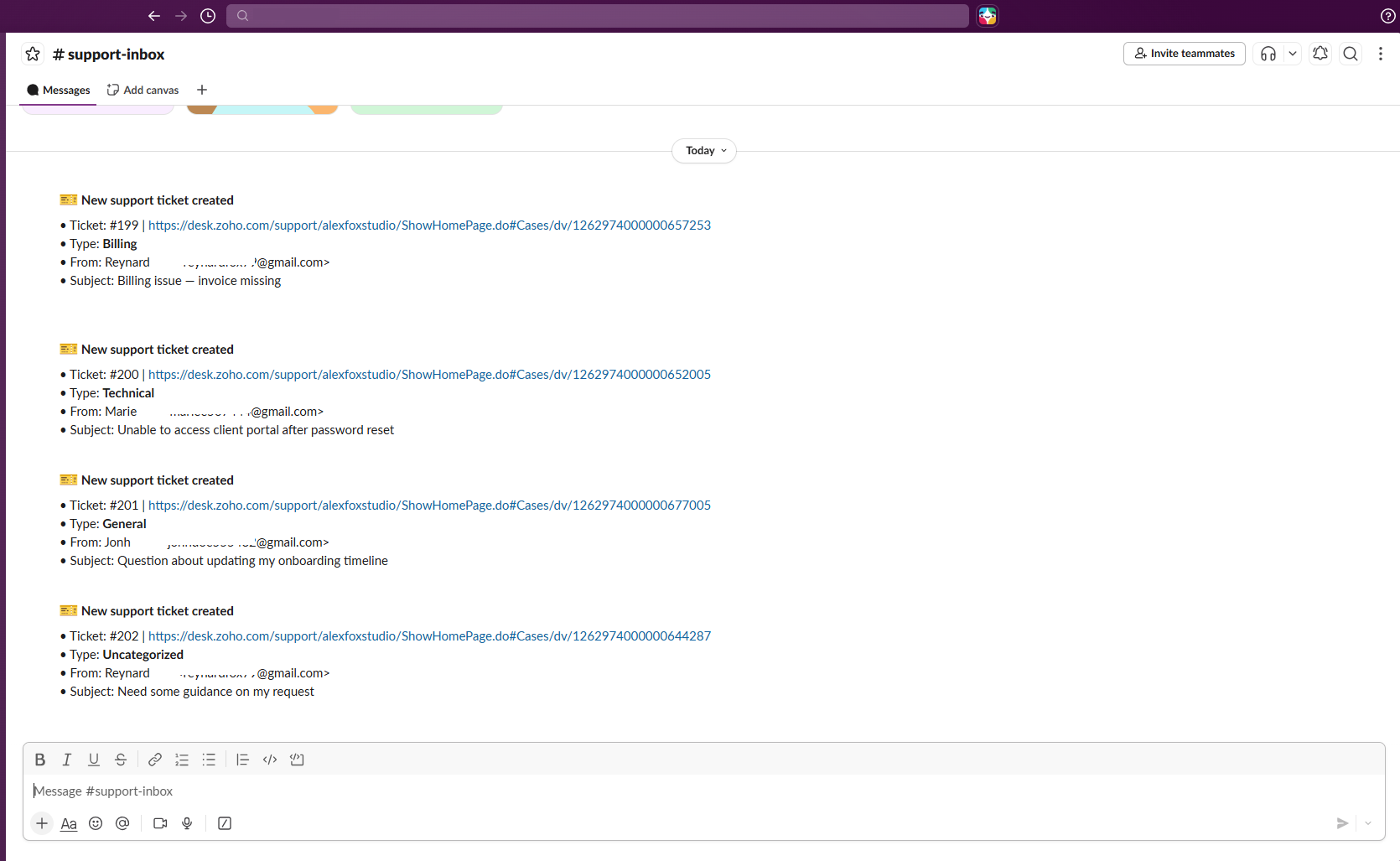
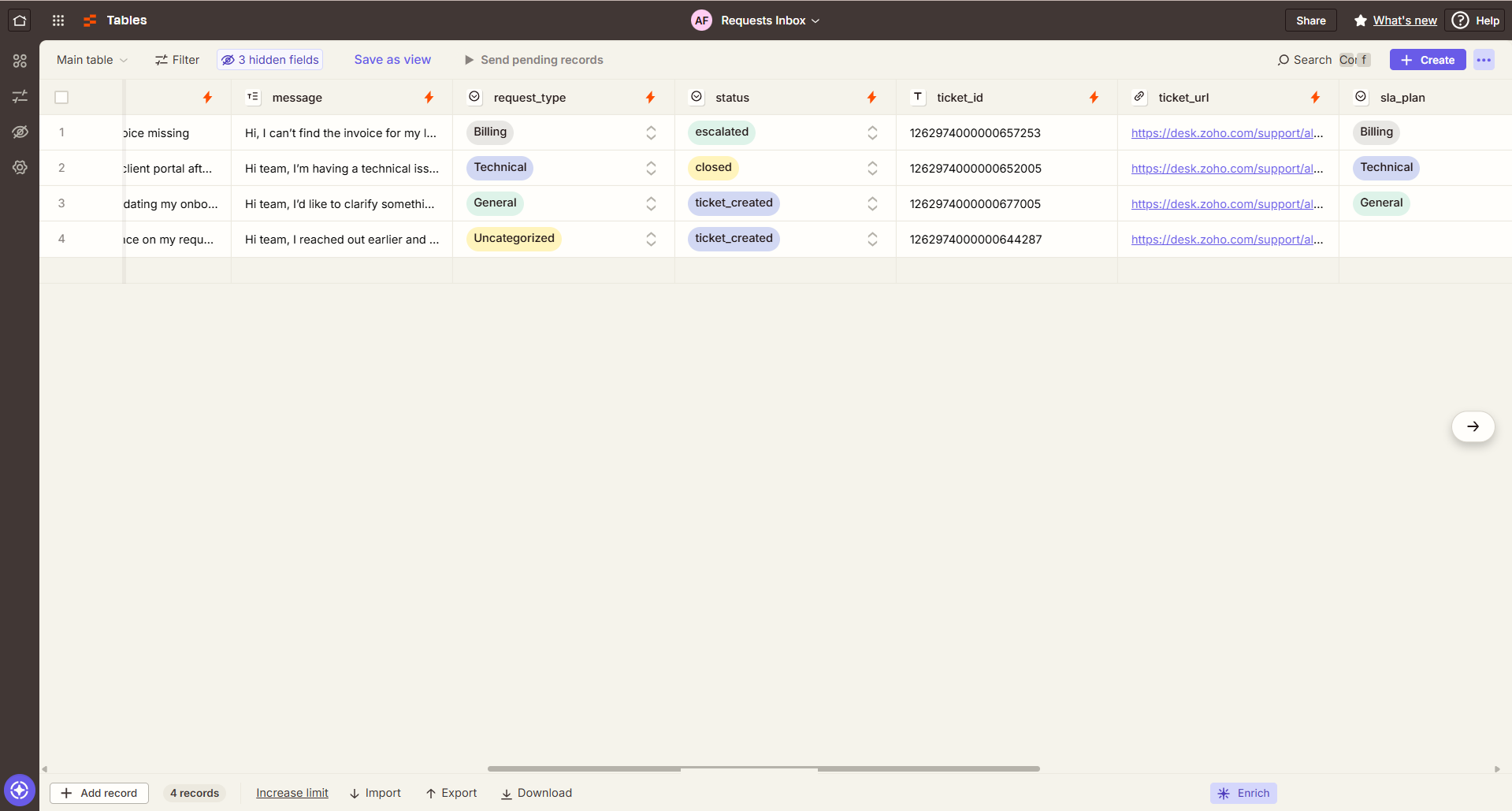
Support Routing & SLA Tracking was built around a support process where requests arrive through different channels and need to be captured, classified, assigned, and followed through to resolution. Instead of relying on separate inboxes and manual handoffs, the workflow brings incoming requests into one shared process, records them in a central requests table, and routes each request according to the type of support needed.

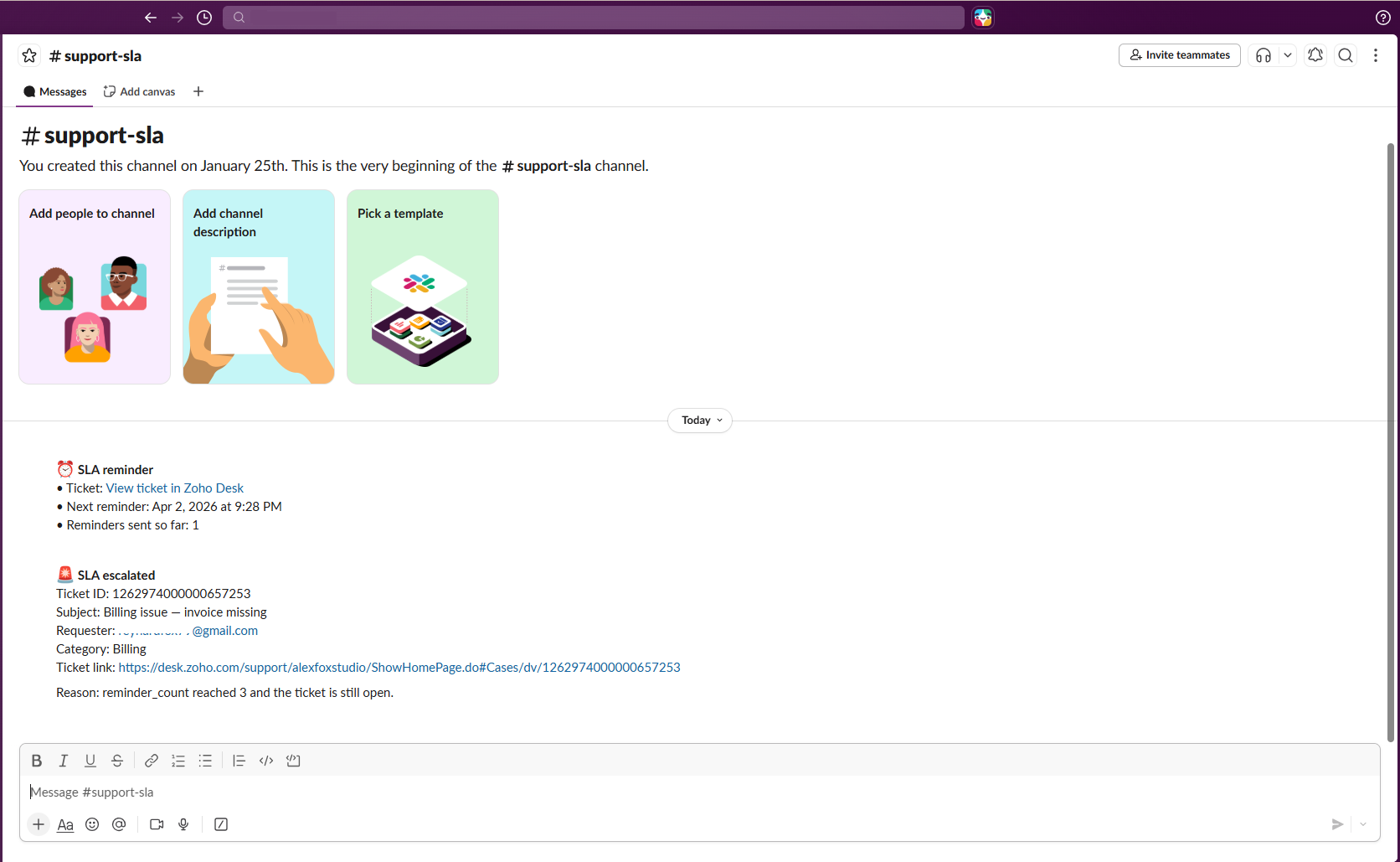
Beyond initial routing, the system also manages the follow-up needed to keep requests from disappearing after handoff. Open tickets are checked against SLA conditions, reminders or escalations are triggered when attention is needed, and completed tickets are reflected back in the shared record. The result is a support process with clearer ownership, more consistent follow-up, and fewer gaps between intake, assignment, and resolution.

Problem

Support requests arrived through different channels and required several manual handoffs: reviewing the request, determining the support category, creating the ticket, notifying the team, and keeping track of follow-up. Without one shared view of request status, ownership, and SLA timing, the team had to rely on manual follow-up to spot overdue tickets, trigger reminders or escalations, and confirm when an issue had actually been closed.
Solution

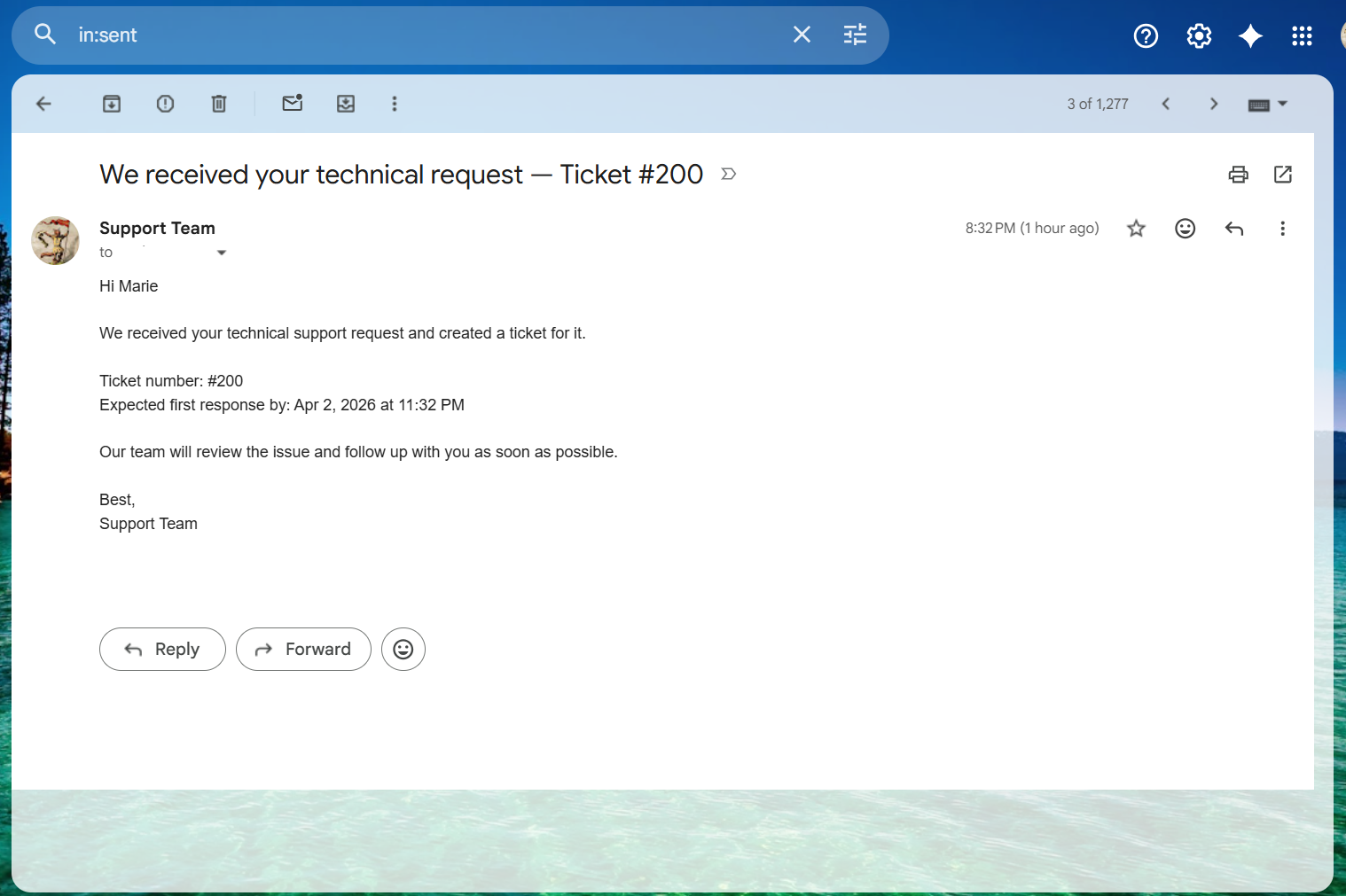
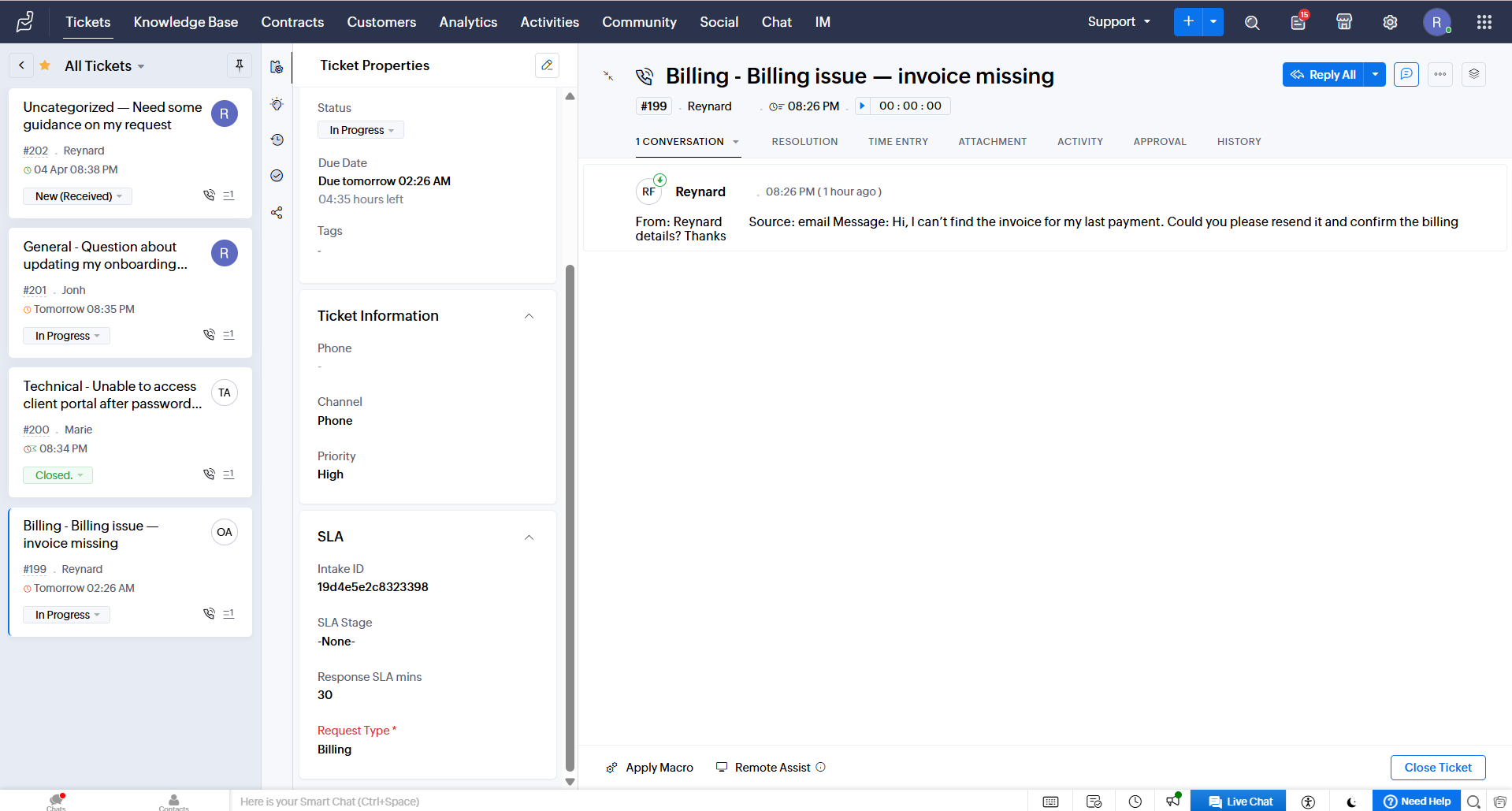
The automation connects intake, ticket creation, routing, communication, and SLA monitoring into one support workflow. Requests from multiple channels are normalized, checked for duplicates, classified by support type, recorded in a central requests table, and turned into assigned tickets. Customer and internal notifications are triggered as part of the same process.

After handoff, the automated workflow keeps monitoring open requests. Tickets that approach or exceed SLA conditions can trigger reminders or escalation, while resolved tickets are synchronized back to the central record, keeping the full lifecycle visible.

Safeguards

The workflow includes safeguards for duplicate requests, unrecognized request types, and tickets that remain open beyond the expected response window. Duplicate submissions are blocked, unmatched requests follow a fallback route, and SLA reminders, escalations, and closure updates are tracked in the shared record so exceptions and overdue cases remain visible without disrupting the normal support flow.

What was built

The build combines support intake, ticket routing, communication, and SLA follow-up into one connected operational system. Incoming requests are captured in a central request table, checked and classified before ticket creation, then tracked through assignment, acknowledgment, reminders, escalation, and closure. A fallback path keeps unrecognized requests from being lost, while status updates keep the central request table aligned with ticket progress and closure.

Expected Impact

The workflow creates a more reliable path from incoming request to resolution by keeping routing, assignment, follow-up, and status tracking connected. It should lower the risk of duplicate or missed requests, improve ownership and customer communication, and give the team clearer visibility into open tickets, reminders, escalations, and resolution status as support volume grows.

Pricing & delivery

Starting at $1,000

Estimated delivery 3–4 weeks

The Support Flow

Workflow in motion

Inside the Workflow

Have a workflow that takes too much manual effort?

I’ll review the process and show you where automation could help.

Ask on WhatsApp